
Multiple API keys and request logs are here
Building on the Codelloy External API just got a lot easier to operate. Two changes ship today: you can now issue multiple, labelled API keys per organisation, and every External API call is captured in a searchable request log — bodies included. Together they turn "which key is that, and what did it actually send?" from a guessing game into two clicks.
Why this matters for integrators
If you run more than one integration against Codelloy — a production service, a staging box, a one-off migration script — a single shared key is a liability. Rotating it means coordinating every consumer at once, and when something misbehaves you have no record of what was sent or why it failed.
The new model fixes both: one labelled key per integration, and a durable log of every request so you can debug by looking instead of reproducing.
Multiple API keys
The API keys page (Developer → API keys) is now a list — one row per key, each with a label you choose, an Active or Revoked status, and its created and last-used dates. Creating, renaming, and revoking keys is owner-only; every role can view the list.
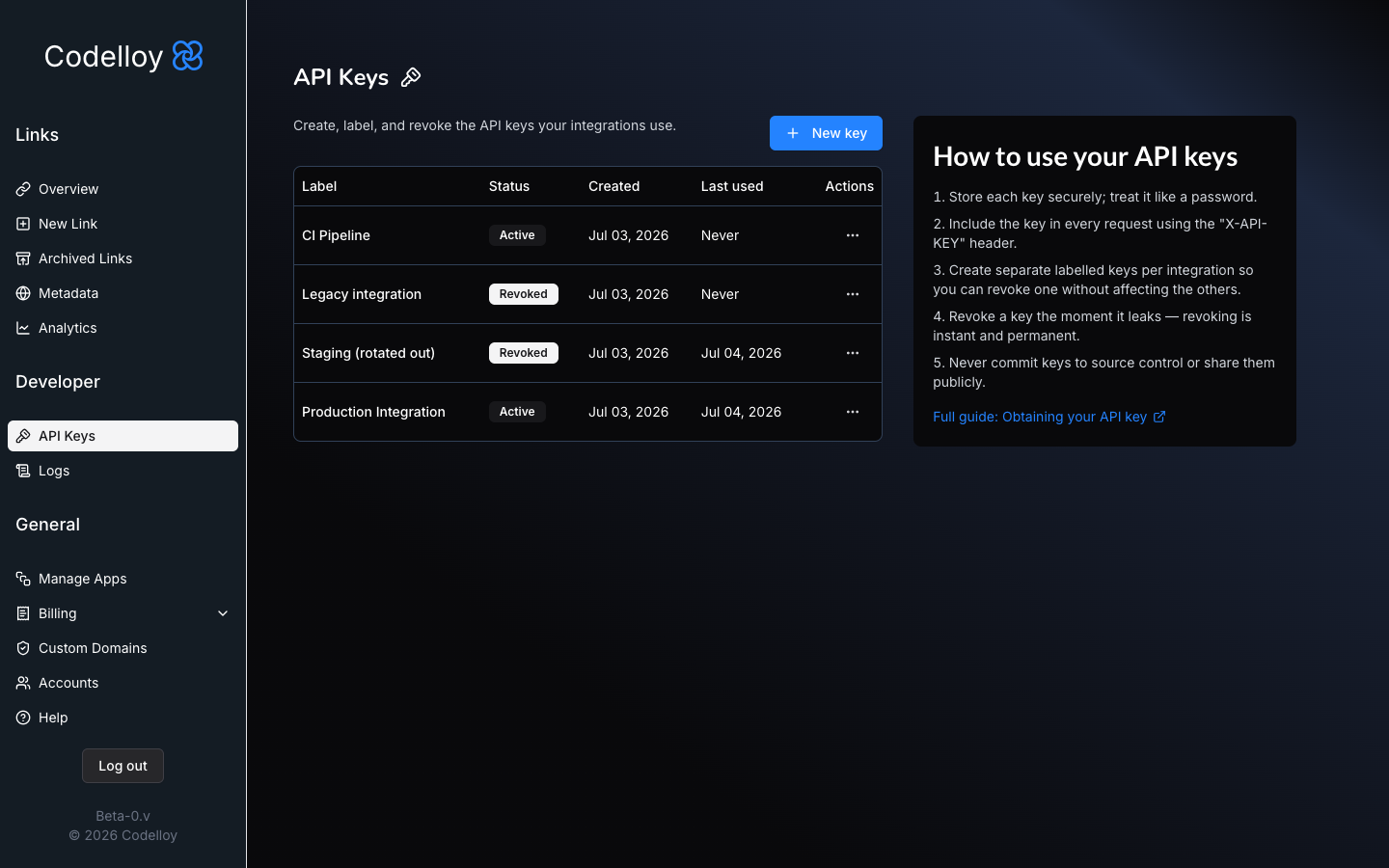 The API keys page: one row per key with a label, Active/Revoked status, and created and last-used dates.
A few deliberate choices:
- Labels, not mystery strings. Name a key "Production integration" or "Staging (rotated out)" so you always know what it belongs to. The label — not the raw key — is what shows up throughout the dashboard and the request log.
- Shown once. The raw key is revealed a single time at creation, with a copy button. Store it in your secret manager then; Codelloy never shows it again.
- Rename is non-destructive. Editing a label never regenerates or invalidates the key — the integration keeps working.
- Revoke is instant and terminal. Revoking a key stops it authenticating immediately (subsequent calls get a
401); the row stays in the list for your audit trail, and revoking one key never touches the others.
That last point is the whole reason for labelled keys: when a key leaks or an integration is retired, you revoke exactly that one and nothing else skips a beat.
Request logs
Under Developer → Request logs, every External API request your keys make is recorded, newest first. Filter by key, status, method, or date range, or paste an X-Request-Id to jump straight to a single call.
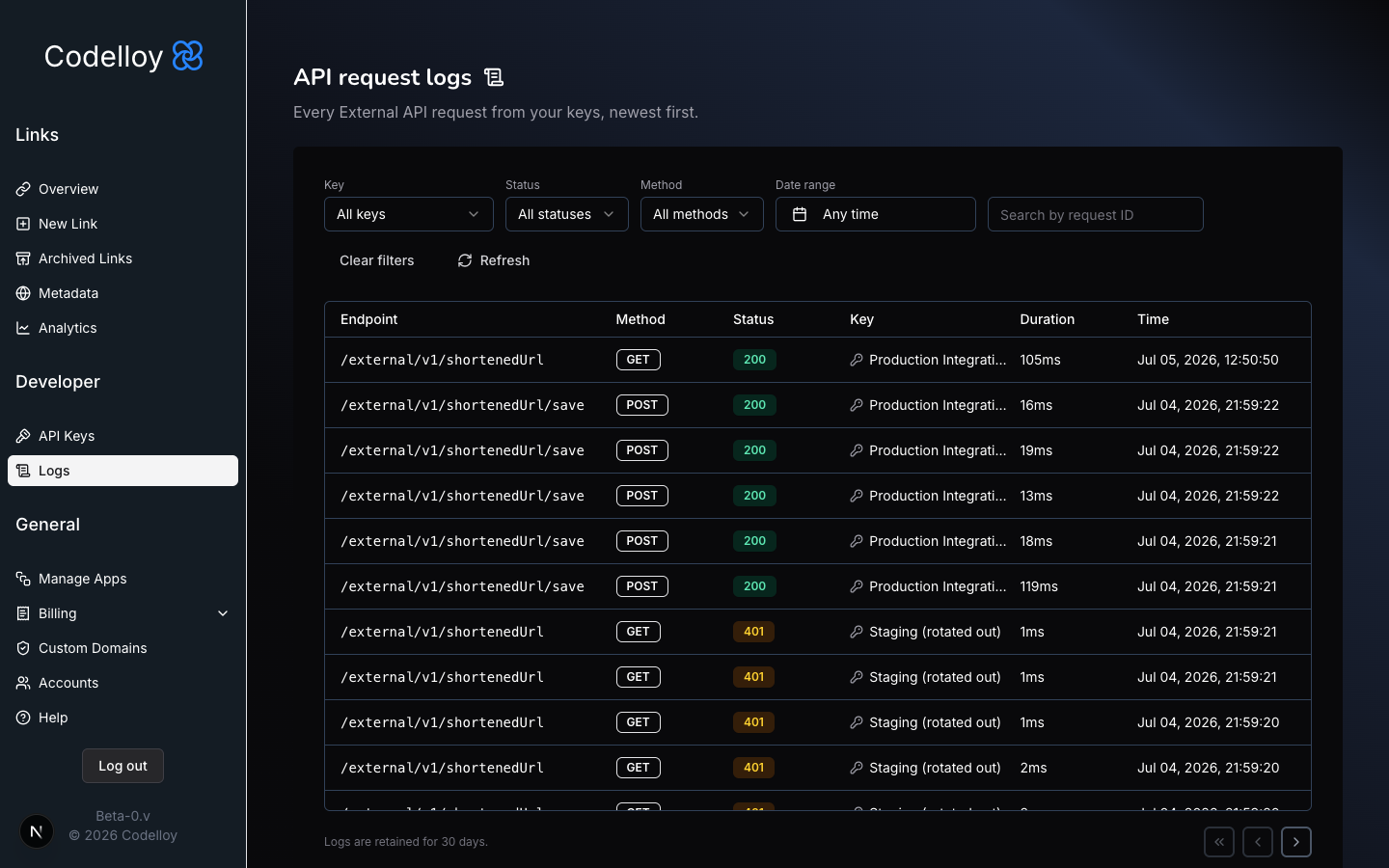 The request logs list: method, path, status, latency, and originating key for every External API call.
Open any entry to see the full story of that request — metadata plus the captured request and response bodies, rendered as an interactive JSON tree when the body is JSON and as raw text when it isn't.
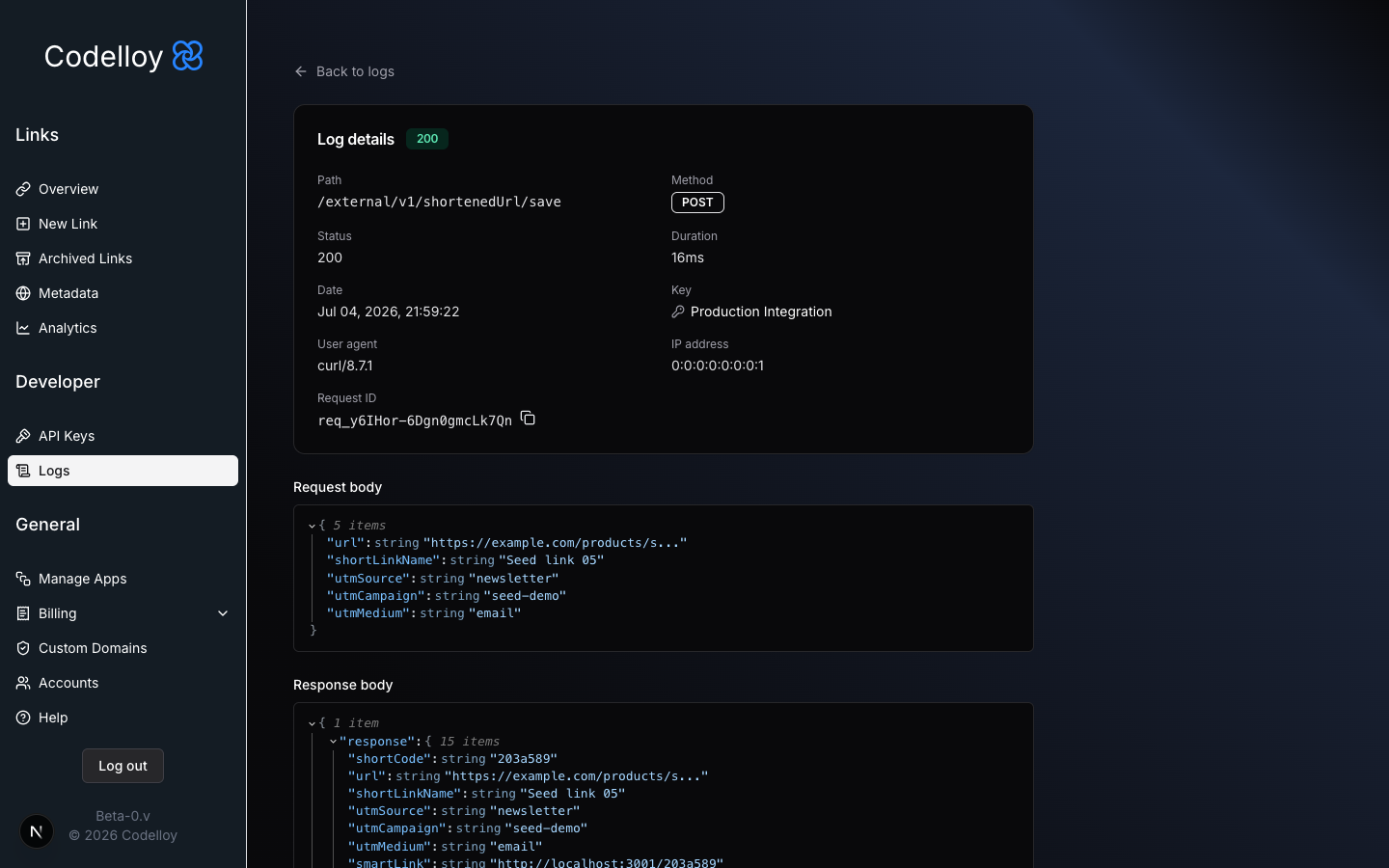 A single log's detail view, with request and response bodies rendered as a JSON tree.
Every response Codelloy returns carries an X-Request-Id header. Log it alongside your own records, and when something goes wrong you can search that exact id in the log instead of guessing which call it was.
Logging happens asynchronously off the response path, so capturing a request never slows the call your integration is making.
Per-plan retention
Logs are retained on a per-plan basis, then pruned automatically:
| Plan | Log retention |
|---|---|
| Free | 1 day |
| Pro | 7 days |
| Business | 30 days |
| Enterprise | 30 days |
Free's one-day window is plenty for verifying an integration during setup; longer windows on the paid plans give you room to investigate issues that surface days later.
One shared rate limit per organisation
Rate limits apply per organisation, not per key. Issuing a second (or fifth) key doesn't multiply your throughput — all of an org's keys draw from the same bucket. Keys are for isolation and auditability; your plan's rate limit is what governs total volume.
Get started
Both features are live now. To create your first labelled key and start inspecting requests, see: