
Search your whole dashboard with Cmd K or Ctrl K
The Codelloy dashboard now has search: one box for everything in it. Press ⌘K on a Mac or Ctrl + K on Windows and Linux, start typing, and jump to any page, any smart link or any Codelloy Page. You can also click the Search button just below New link in the new sidebar.
What you can find
Search covers three kinds of things at once:
- Every page in the sidebar. Type "billing" and you get Payment overview and Plans, even though neither is called billing.
- Your smart links, by name, short code, short link or destination URL. A link opens straight in its editor.
- Your Codelloy Pages, through their share links. A page opens its details.
Archived links show up too, marked Archived, and open in your archived links list so you can find them without remembering where they went. Paste a full URL and search offers to shorten it: New link opens with the destination already filled in. If you already have a link to that URL, it shows up first.
Before you type, search shows what you opened from it recently, so getting back to the link you were just working on takes one keystroke and Enter.
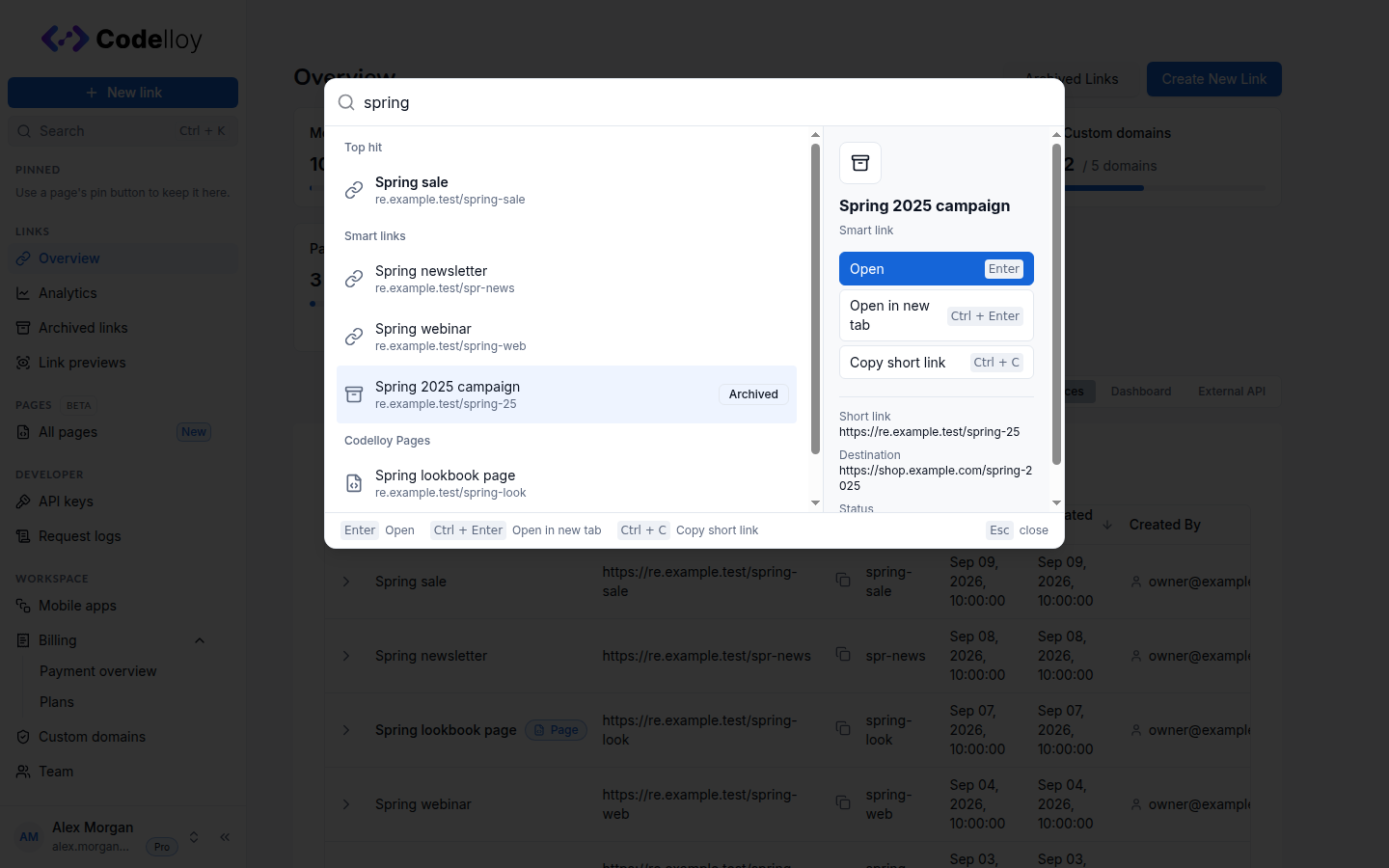 Search results for spring: a Top hit, smart links including one marked Archived, a Codelloy Page, and a preview of the highlighted link with its actions
Act without leaving the keyboard
The highlighted result has its own shortcuts. Open it in a new tab, jump to an active link's analytics, or pin a page to your sidebar. Copying a short link keeps search open, so you can copy one link after another without searching again.
| Action | Mac | Windows / Linux |
|---|---|---|
| Open search | ⌘K | Ctrl + K |
| Open the link or page in a new tab | ⌘↵ | Ctrl + Enter |
| View link analytics | ⌥↵ | Alt + Enter |
| Copy the short link | ⌘C | Ctrl + C |
| Show keyboard shortcuts | ? | ? |
Press ? anywhere in the dashboard (outside a text field) for the full list, or choose Keyboard shortcuts in the account menu.
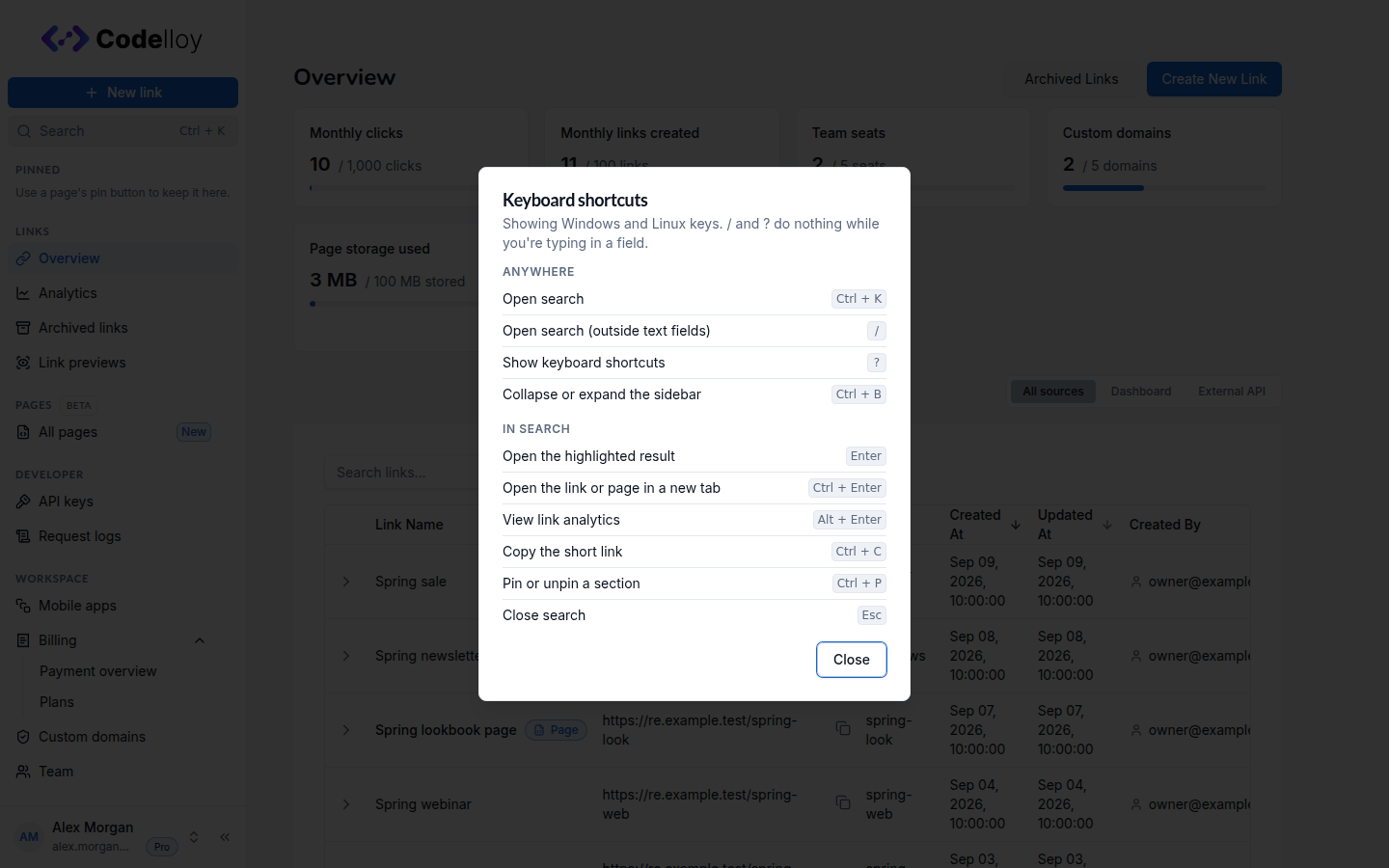 The Keyboard shortcuts dialog, grouped into Anywhere and In search
On a phone, open the sidebar menu and tap Search. It fills the screen and shows the highlighted result's actions as buttons you can tap.
On every plan
Search is available on every plan, for everyone on your team. There is nothing to switch on.
The Search & keyboard shortcuts guide covers every result type, every shortcut on both platforms, and why / and ? do nothing while you type in a field. New to Codelloy? Start free and press ⌘K (Ctrl + K on Windows and Linux) once you are in.